
Broadcast Monitor · Workspaces & Playback
Arrange the views your role needs, save the workspace, and move between the whole production and the detail that needs attention.
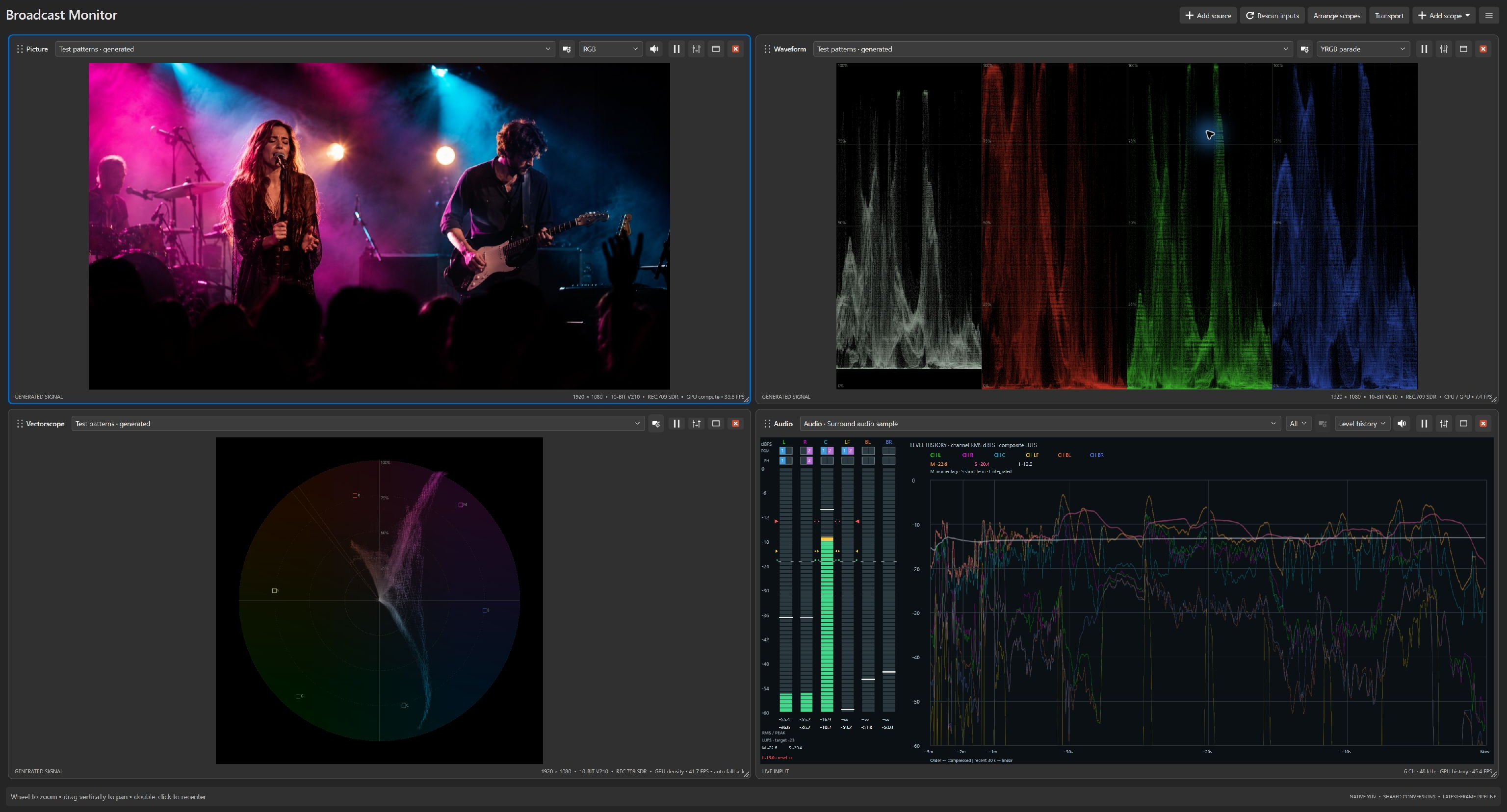
Give each view its own source and purpose. Inspect one input with several different tools, or arrange views around the signals you need to watch. Keep the information for your role in front of you.
Save window layouts, input routes, scope types, and scope settings as a workspace. Build a configuration for rehearsal, another for the show, and a startup workspace for the monitoring arrangement you use most.
The generated color-bars source lets you explore the application without capture hardware. Set up your views, learn how the displays relate to one another, and prepare your workspace before connecting live signals.
Production work moves between the whole show and the smallest detail. Focus assistance, flexible audio listening, and independent playback controls help you investigate without rebuilding your workspace.
Express and Professional add adjustable detail enhancement to the RGB picture view, including grayscale. Boost fine edges to make focus easier to assess, and raise the threshold to reduce the enhancement of low-level noise.
The adjustment affects the displayed picture, leaving source samples and measurement scopes unchanged. A composed output that includes this picture pane also includes its enhancement.
Zoom the picture up to 16×, pan to inspect a detail, and double-click to return to fit. Arrange and Tile organize panes around their content, with layouts that adapt as the workspace changes size.
Maximize a pane for a closer look, then return to your layout. When program output is stopped, hidden scope displays suspend their analysis and rendering while source connections and file playback stay in place. Enabled audio listening continues.
Restore the layout to resume current measurements. When program output is running, the other panes keep rendering for that output.
Professional supports local video and audio-only files, with independent playback controls for each source. Play, pause, stop, seek to a moment, or let the clip loop while several scopes examine the same source. Seeking a video while paused displays a preview frame. Review music, voiceovers, and show cues in the audio tools without needing a video track.
Playback decodes ahead into a bounded buffer to help absorb variations in decoding time. This supports steadier delivery while you inspect the footage; achievable playback still depends on the file and your computer.
With Express or Professional, listen to selected audio channels through the default Windows playback device while monitoring their levels. Choose the listening mix independently of the channels used for the stereo phase display, and change routing without reopening the audio device. Explore the audio tools.
Professional can send a composed monitoring layout through compatible DeckLink or UltraStudio hardware, or share it as an NDI source on the network. NDI output requires the optional NDI Runtime. Available output formats depend on the device and configuration.
Check computer and capture requirements before planning your station.
Continue the tour, or choose any topic from the navigation above.