
Live video scopes
Broadcast Monitor Web
Check exposure, color and channel balance from a live video feed in your browser. Keep one scope large and preview the others alongside it.
Log in to check whether your DJP Account includes access.
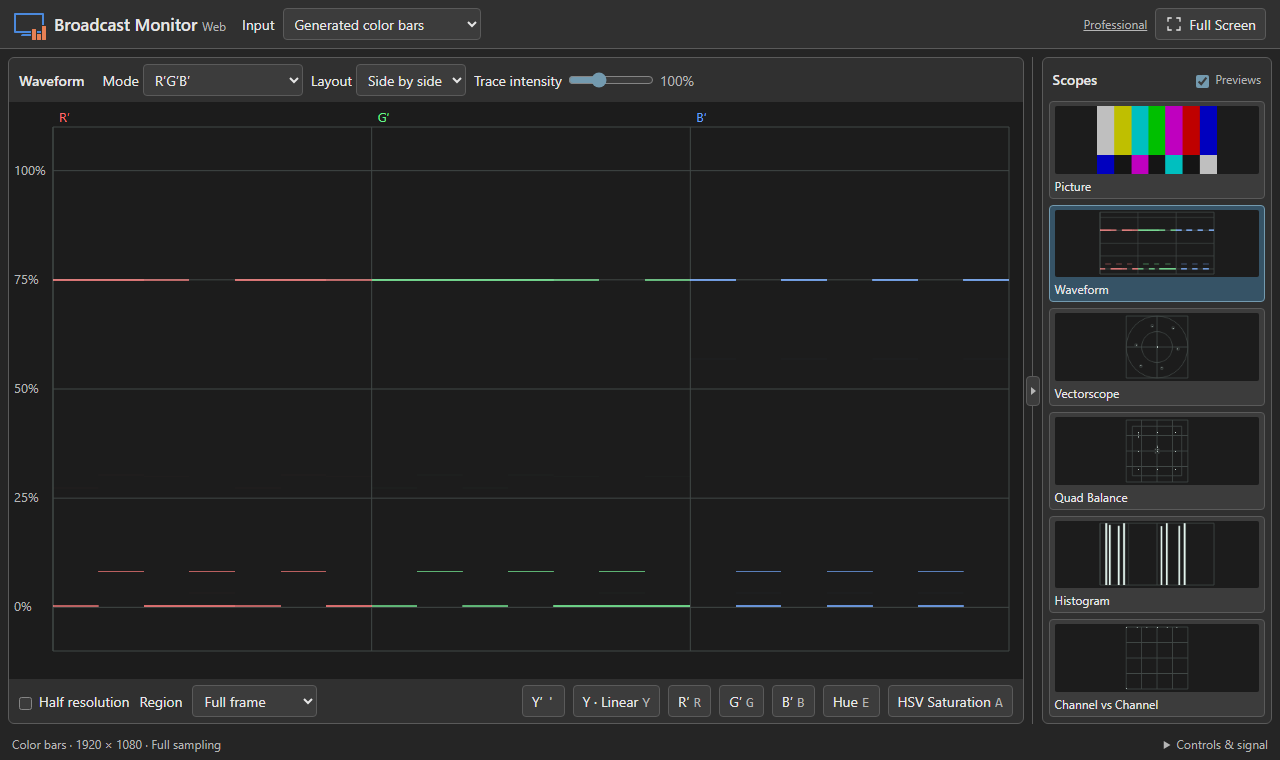
Choose the scopes you need
Subscribe to Broadcast Monitor Web on its own, or sign in with an active desktop license to use the matching web edition. Eligible desktop licenses from a linked CrewAxis subscription include web access too.
Your web license sets the number of browsers that can run scopes at once. Multiple tabs in the same browser profile share a slot.
Express
Check exposure and color with Picture, Waveform, Vectorscope and Histogram. Use Picture zebras and view luma or combined channel plots.
Professional
Get the Express scopes plus Quad Balance, Channel vs Channel, and expanded Waveform and Histogram modes, including Hue on Waveform.
Web and desktop, at a glance
In your browser
Open the web app for a quick picture, exposure, or color check without installing Broadcast Monitor. Choose one camera, capture device, or virtual camera that your browser exposes, or practice with the built-in bars and grayscale ramp. Switch between scopes, zoom into part of the frame, or go full screen. Camera frames stay on your device.
Scopes measure browser RGB. Capture may clip below-black or above-white levels before the browser can measure them.
In the Windows desktop app
If you use the desktop version, you’ll also get tools for longer sessions and more involved production work. Depending on your edition, you can:
- Inspect the source signal. Use native DeckLink or UltraStudio capture to check original SDI levels, including below-black and above-white excursions, and inspect HDR metadata.
- Monitor sound and record. Check audio levels, phase and loudness, listen to the feed, and make confidence recordings.
- Build a monitoring workspace. Keep several scopes open, route them to different inputs, save layouts, and use Professional tools for camera matching, reference frames, and monitoring outputs.