
Scope guide · Signal investigation
Reception Diagnostics
Follow reception counters, source status and signal/audio durations beside the actual picture.
ProfessionalLearn & Reference / Scope library / Reception Diagnostics
Is the source arriving as expected?
Add this view from Add scope > Reception Diagnostics, then choose the input you want to inspect. Use the pane's i button for its in-app reading guide.
Read this example.
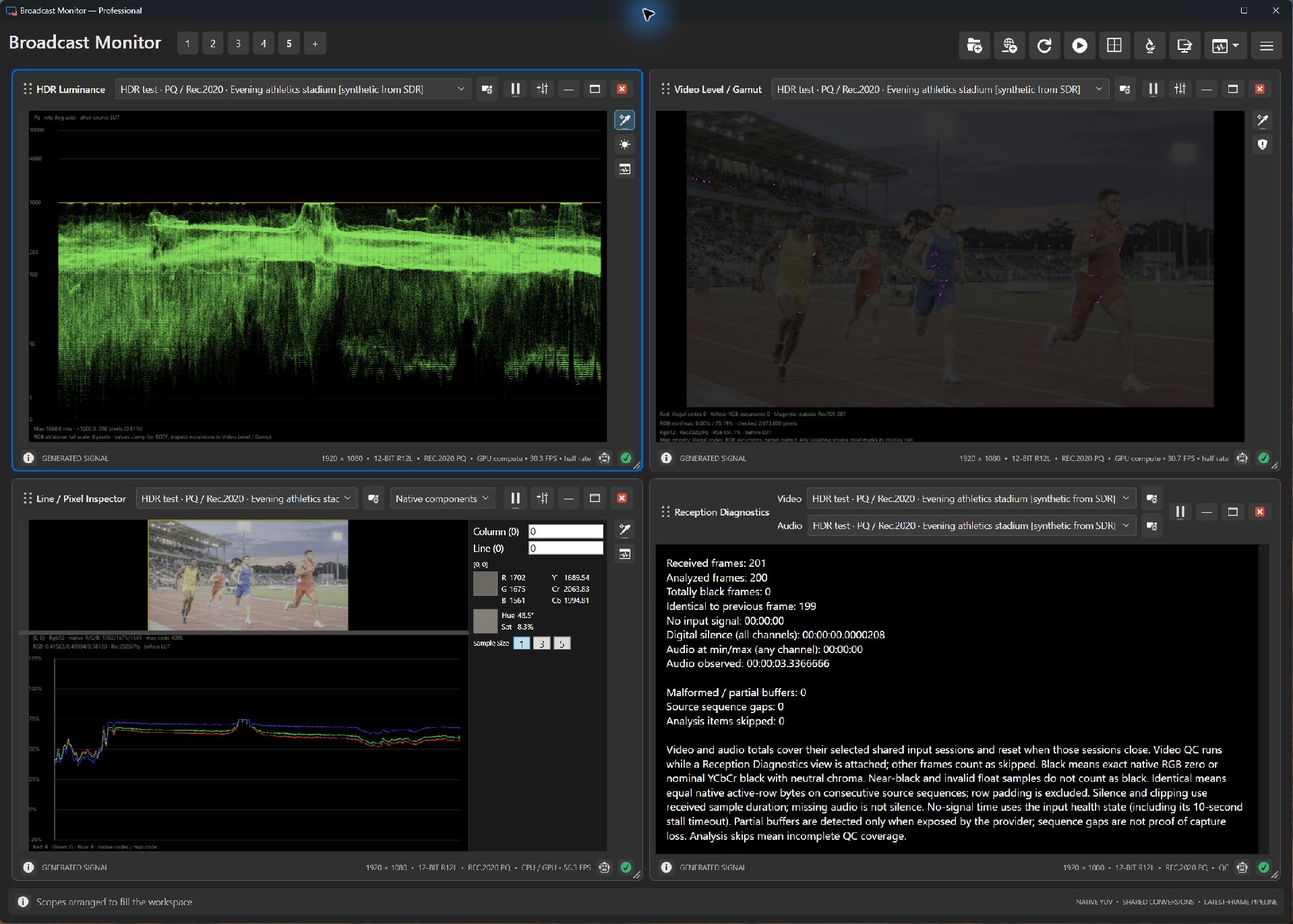
- Start with the source and signal state, then inspect counts and durations.
- Compare frame delivery with Picture when investigating an apparently static source.
- Use audio evidence alongside Audio to distinguish transport from content.
Try it yourself.
- Select the source under investigation.
- Keep Picture or Audio on that same input.
- Observe counters over time, comparing with a known generated source when narrowing down a problem.
Useful controls.
- Available counters follow the adapter.
- Signal, black and audio durations summarize observed evidence.
- Source setup and pane help support investigation.
A generated still can continue delivering fresh frames. Compare reception evidence with content deliberately.