
Scope guide · Sound & timing
Audio / Video Sync
Measure repeated flash-and-beep events and use offset and spread to investigate timing.
ProfessionalLearn & Reference / Scope library / Audio / Video Sync
Is audio arriving later than picture?
Add this view from Add scope > Audio / Video Sync, then choose the input you want to inspect. Use the pane's i button for its in-app reading guide.
Read this example.
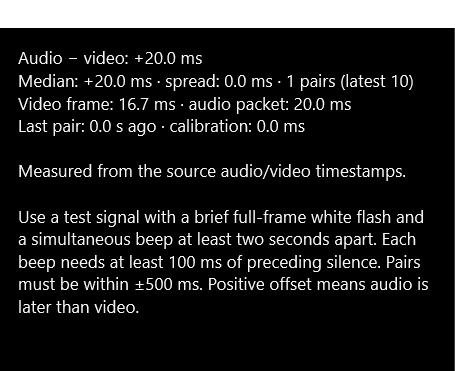
- Audio − video: +20.0 ms means audio is later than video.
- Median, spread and pair count describe event evidence. This fixture has one detected pair.
- The final line identifies source timestamps as the basis. Other paths can use arrival-time estimates.
Try it yourself.
- Feed a suitable flash-and-beep test through the intended path.
- Use brief full-frame white flashes and simultaneous beeps at least two seconds apart, with 100 ms of preceding silence.
- Collect several pairs and compare median and spread with the stated timing basis.
Useful controls.
- Calibration accounts for a known offset.
- Pair count and last-event age describe recent evidence.
- A ±500 ms window pairs candidate events.
Use a test signal and review the timing basis. Resume after a frozen video selection to collect fresh timing events.