
Scope guide · Color & matching
Chromaticity (CIE xy)
Map source colors against reference outlines and connect vivid lighting or graphics to their color-coordinate distribution.
ProfessionalLearn & Reference / Scope library / Chromaticity (CIE xy)
Where do these colors fall relative to the intended gamut?
Add this view from Add scope > Chromaticity (CIE xy), then choose the input you want to inspect. Use the pane's i button for its in-app reading guide.
Read this example.
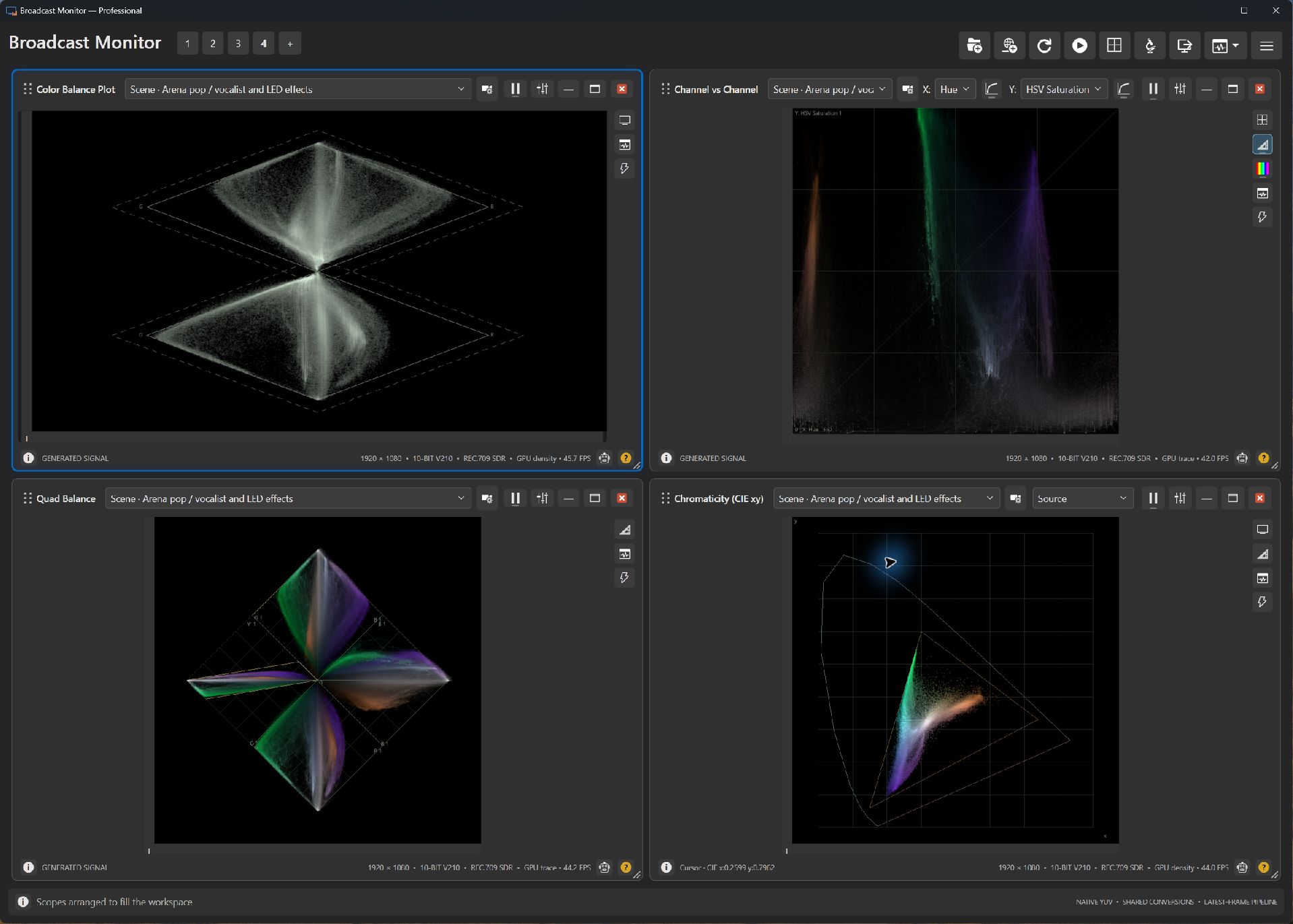
- The trace shows sample positions in xy coordinates. Green and violet stage colors contribute distinct extensions in this example.
- The reference triangle describes selected color-space primaries.
- Use a region to separate a stage light or graphic from the rest of the picture.
Try it yourself.
- Choose the concert scene in Picture and Chromaticity.
- Follow metadata or select Rec.709, P3 or Rec.2020 as appropriate.
- Compare a saturated region with the full frame.
Useful controls.
- Gamut/reference choices define the comparison outline.
- Trace settings adjust visibility.
- Source interpretation follows available color metadata.
Missing metadata defaults to Rec.709. Confirm the source interpretation when evaluating its distribution.