
Scope guide · Picture & exposure
Waveform
Connect brightness and component levels to horizontal image position. Inspect a face, screen or highlight while keeping the shot in context.
ExpressProfessionalLearn & Reference / Scope library / Waveform
Where is that exposure difference in the picture?
Add this view from Add scope > Waveform, then choose the input you want to inspect. Use the pane's i button for its in-app reading guide.
Read this example.
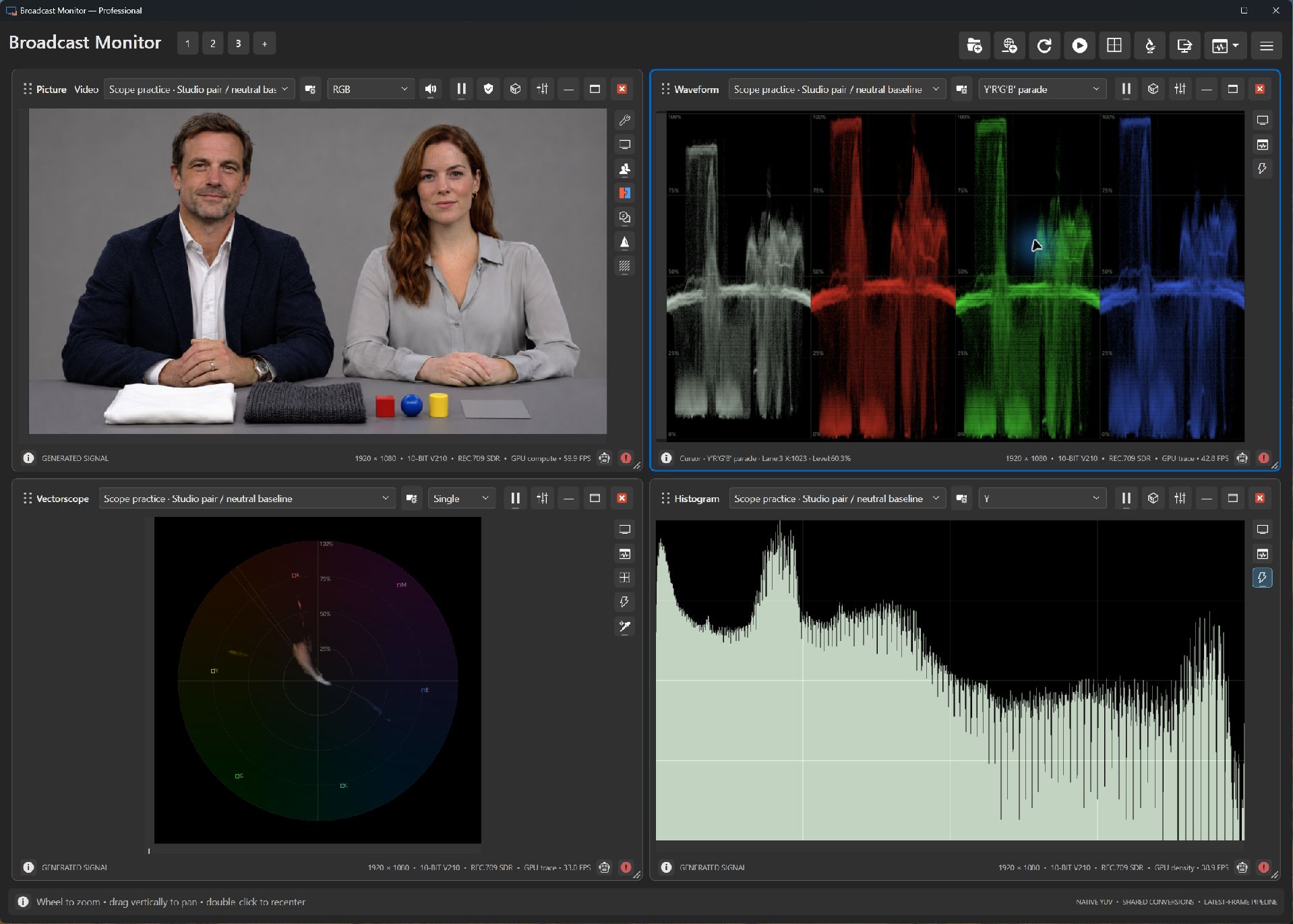
- The faces occupy different horizontal bands. Inspect those same relative positions in the first, white Y′ panel; each band also includes background and clothing at that X position.
- The white fabric contributes the high plateau on the left of the white Y′ panel. Faces contribute middle-to-upper levels, while jacket and dark cloth add lower levels.
- The red, green and blue panels repeat the scene by component. Compare corresponding regions to investigate a cast on a neutral subject.
Try it yourself.
- Choose Studio pair / neutral baseline in Picture and Waveform.
- Select Y′, then Y′R′G′B′ parade to compare encoded luma and component relationships.
- Use a Professional analysis region around one face to identify its contribution more precisely.
Useful controls.
- Express includes Y, Y′ and fixed-color parades. Professional adds individual components, hue, saturation, chroma and RGB-derived quantities.
- Display chooses the component. Trace adjusts intensity, width and persistence; wheel zoom and vertical drag inspect level ranges.
- Optional Minimum, Maximum and Average guides show current-frame statistics for samples included in analysis.
Y′ is encoded luma; Y is linear-light luminance. Relate readings to the subject and intended look rather than a universal face-exposure target.