
Scope guide · Color & matching
Color Balance Plot
Inspect RGB balance and gamut in double-diamond and related displays beside a normal Picture reference.
ProfessionalLearn & Reference / Scope library / Color Balance Plot
Are channel relationships explaining a cast?
Add this view from Add scope > Color Balance Plot, then choose the input you want to inspect. Use the pane's i button for its in-app reading guide.
Read this example.
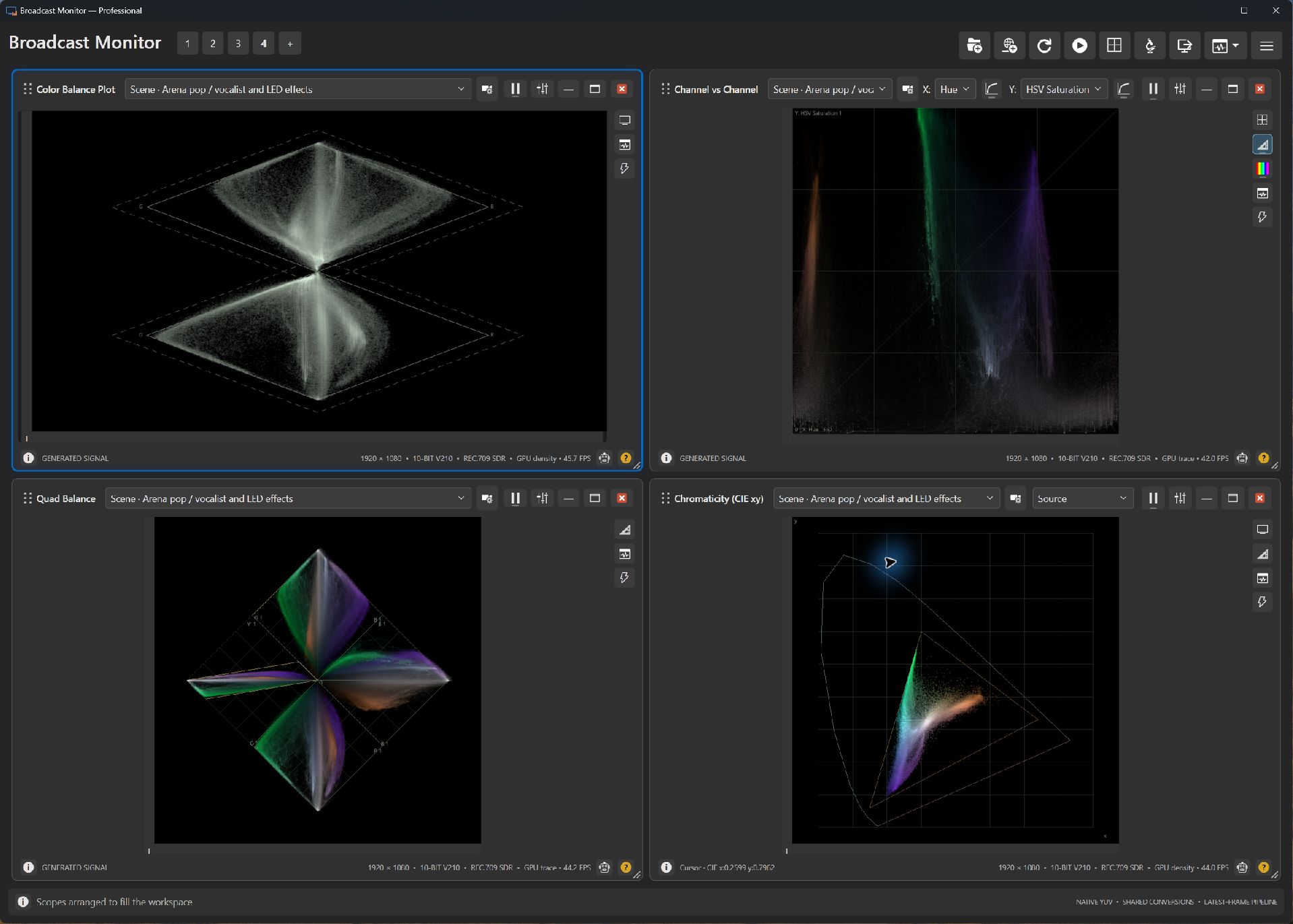
- Read the pair named for each diamond; the two plots compare different channel relationships.
- Reference outlines provide nominal RGB boundaries. Investigate excursions alongside Picture.
- Colored stage lighting produces unequal components intentionally. A known neutral prop is a useful matching reference.
Try it yourself.
- Choose the concert scene in Picture and Color Balance Plot.
- Select double-diamond and identify the two channel pairs.
- Compare with a neutral studio scene or smaller shared analysis region.
Useful controls.
- Display selects a channel-balance representation.
- Trace controls visibility and persistence.
- References and shared regions help compare the same subject across views.
Nominal RGB boundaries and creative color answer different questions. Locate the relationship, then judge its production significance in context.